- Step 1
Eligibility is a panel number, not a feeling
Open Payouts. If buttons are grey, read the reason on that page (KYC missing, not enough qualifying trading days in this payout cycle — counted since your last paid payout, or since funding for the first one — a compliance hold on your file, below minimum, best-day profit share too high, too much profit from trades held under 2 minutes, still in waiting period). The public page Payout info explains split and cycles in words; the form on Payouts is what actually allows or blocks you.
Finish KYC first if it is not approved. Minimums apply per funded account — two small profits on two accounts do not add up to one withdrawal.
Affiliate commission is a different wallet on Partner with us, not this page.
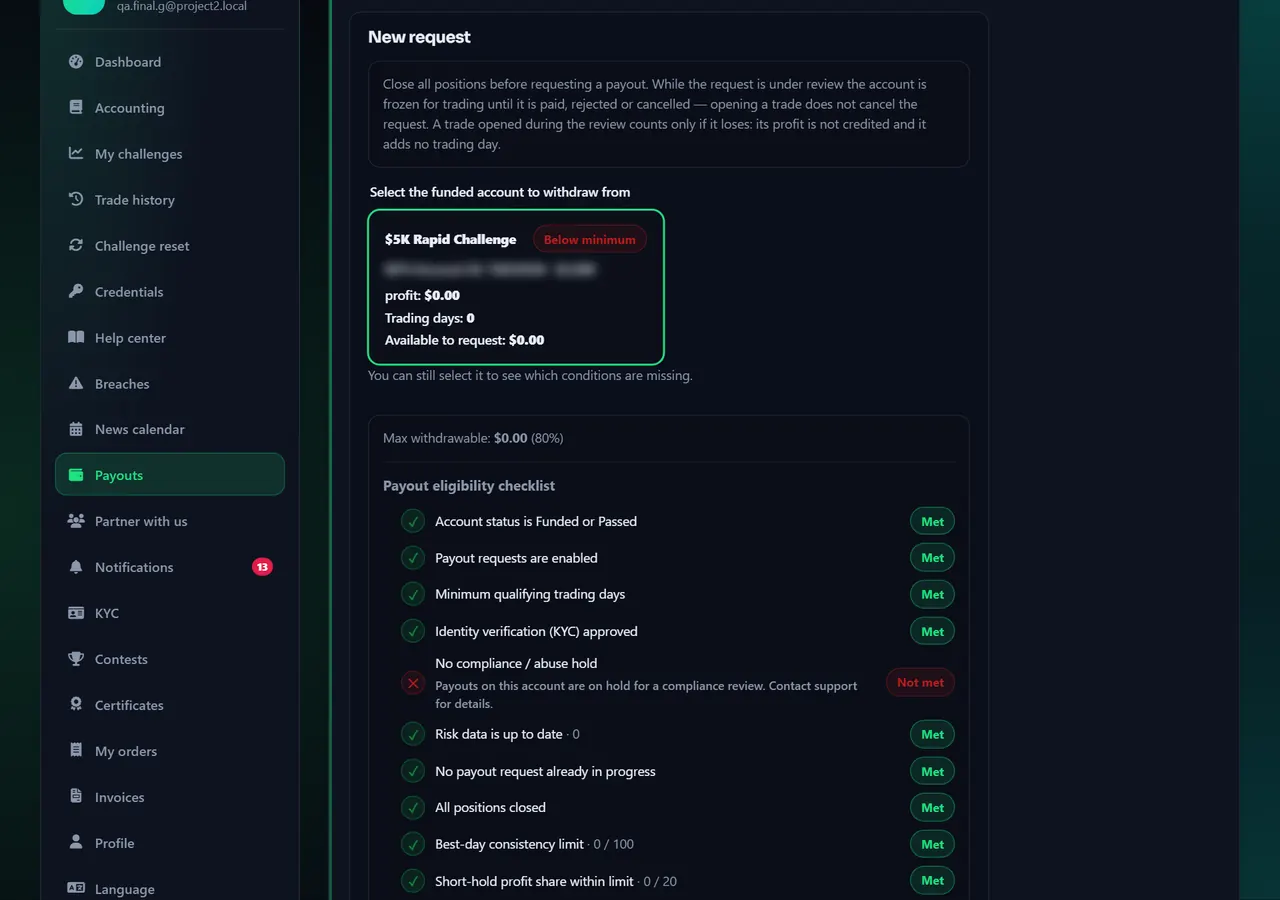
- 1Request
- 2Eligibility checklist
Annotated screen - Step 2
Save the wallet, then send — twice-check network
On Payouts tap add/save wallet. Choose the asset and chain printed on the form (example: USDT on the network we list). Paste the address, confirm it in the second box. A typo or the wrong chain cannot be reversed.
When eligible, select that saved wallet and submit. Track status on the same page. Network fees are deducted when coins move; what arrives is less than the headline amount.
If it stalls, open Tickets with the request id. The public list of paid payouts is on Payout proof, which is not your personal request.
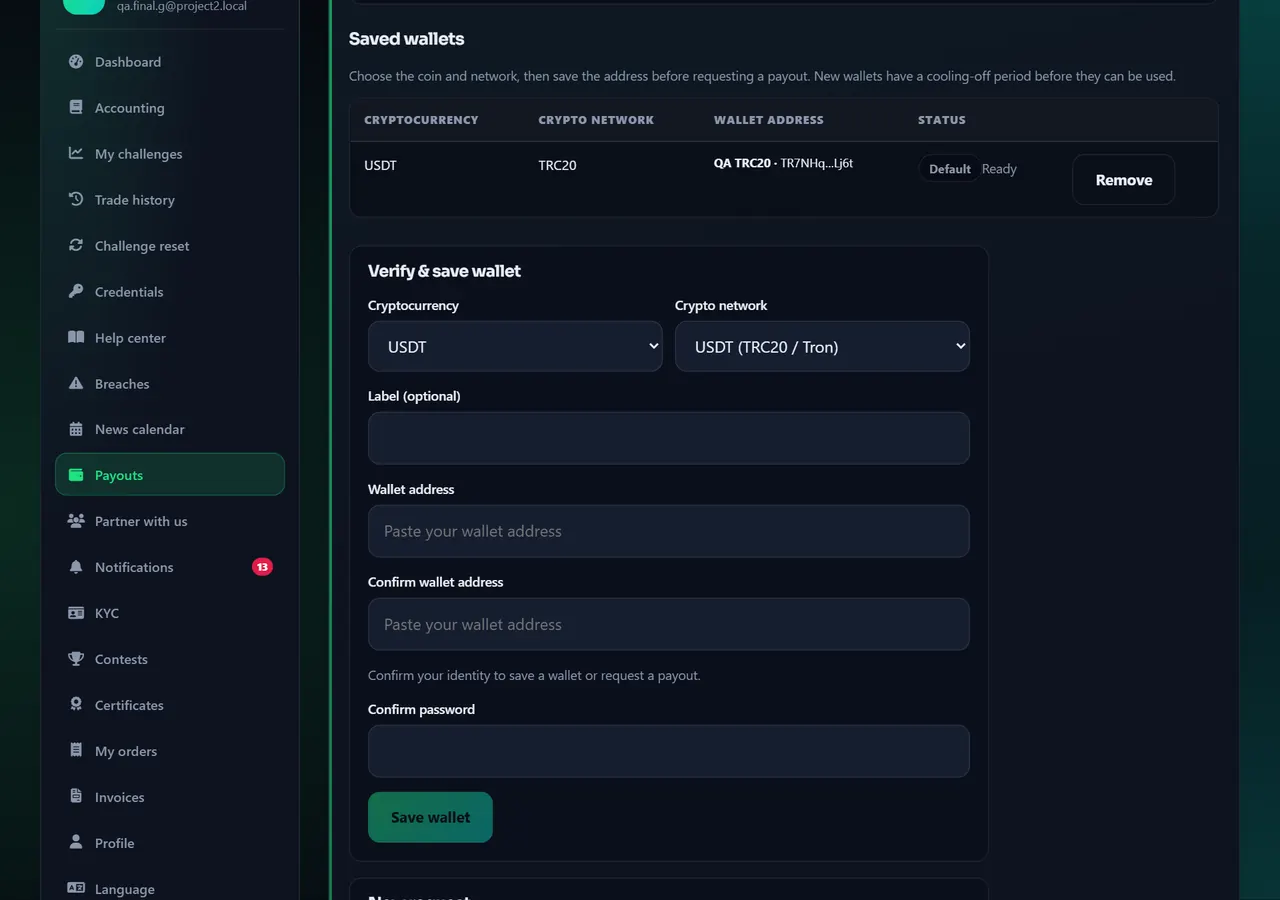
- 1Wallet
Annotated screen
Help center
Request a payout when you have never withdrawn
Payouts are your profit share in crypto after funded rules (and KYC). Save a wallet first, wait until the panel says you are eligible, then submit. A wrong network can lose the coins forever.


