- Step 1
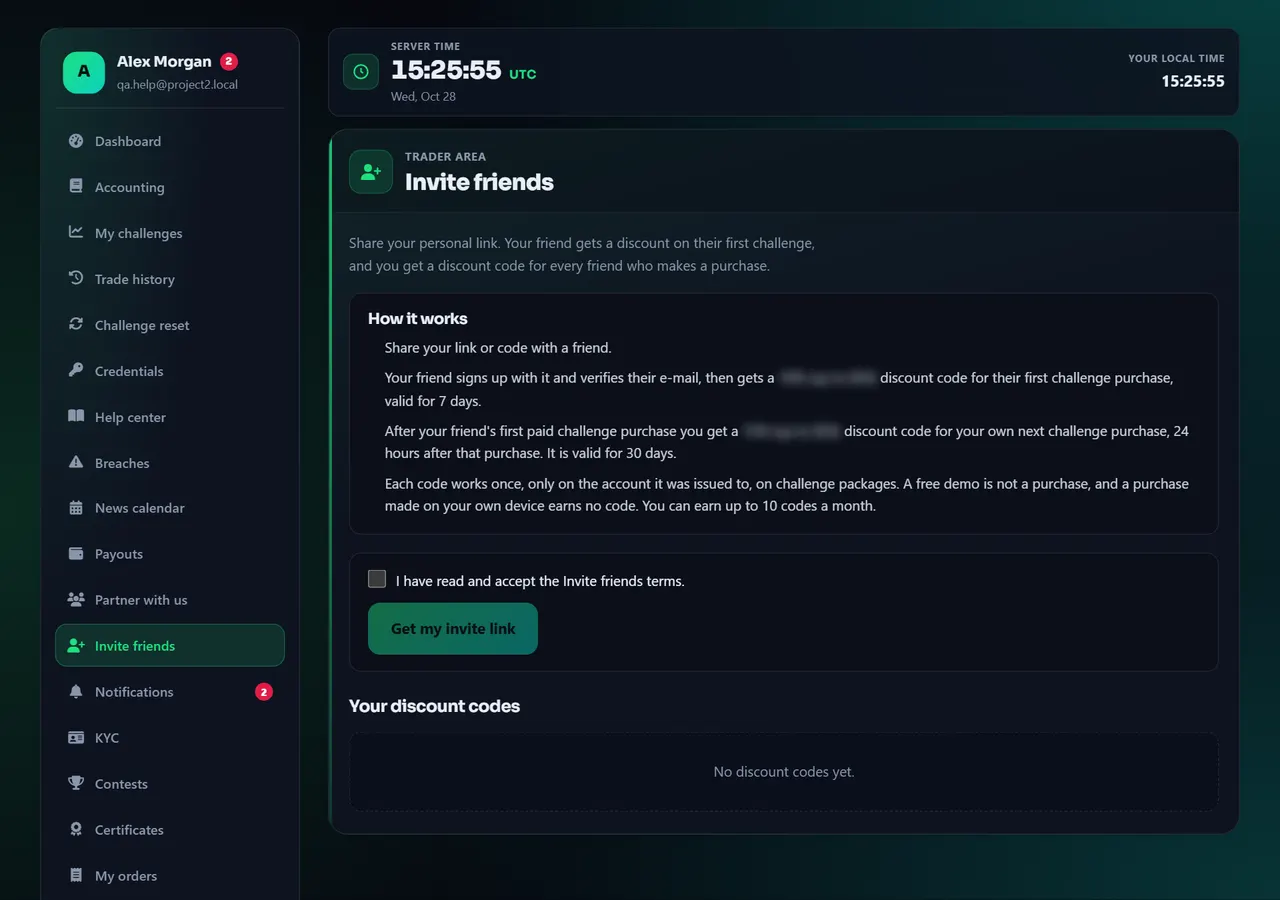
Open Invite friends and get your link
Open Invite friends from the menu or the dashboard. Read how it works (the discounts and how long each code is valid are shown there), accept the program terms once, and you get your personal link and code. Share them from the same page with one click on Telegram, WhatsApp, X, Facebook, LinkedIn, by e-mail or SMS, with a ready-made message you can edit; your friend opens your invitation page, sees the discount and signs up. Partners share their link from Partner with us instead.
- 1Invite friends
Annotated screen - Step 2
Share your link
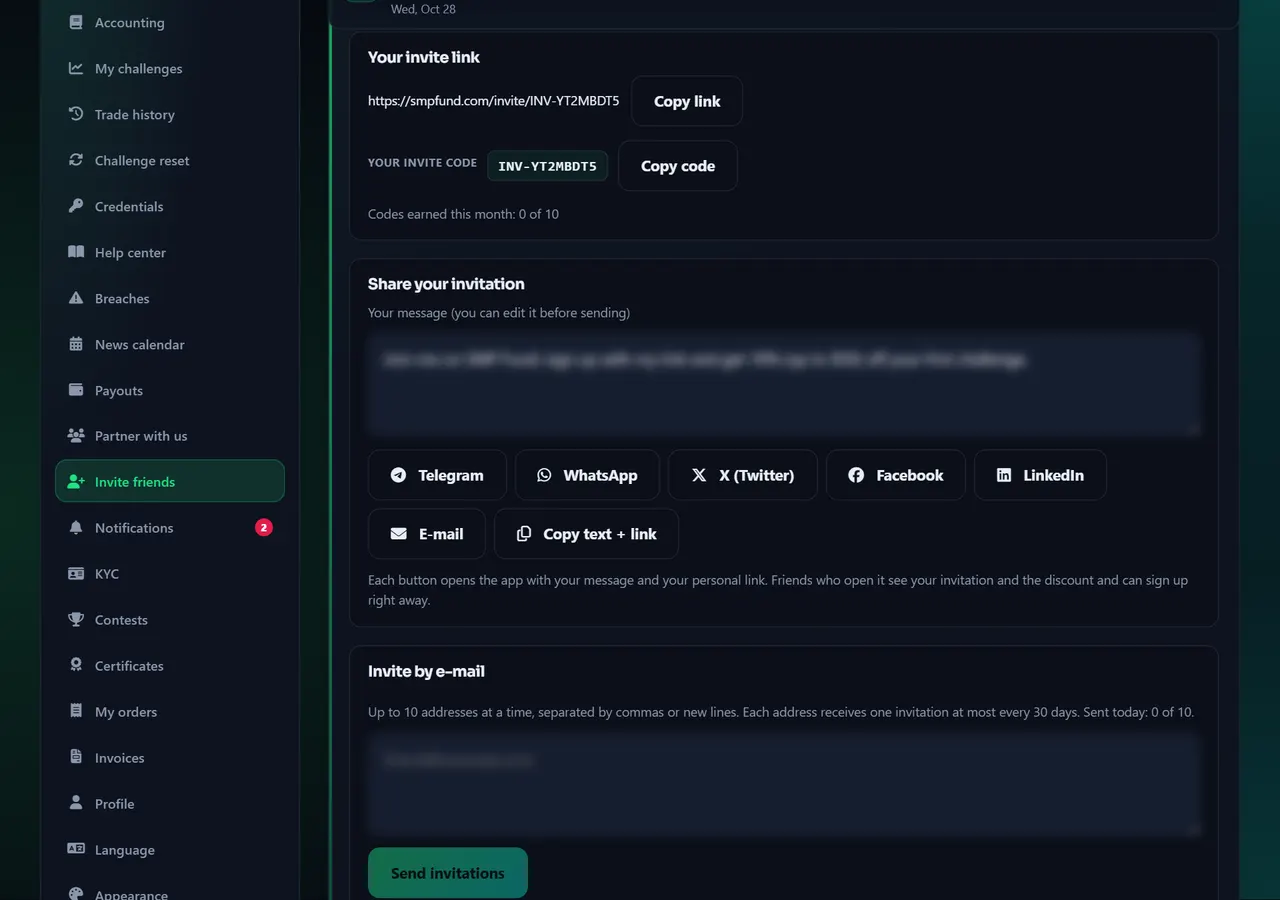
After you accept the terms the page shows your invite link and your invite code with Copy buttons, and how many codes you have earned this month. Under Share your invitation you can edit the ready-made message, then press Telegram, WhatsApp, X, Facebook, LinkedIn, E-mail or Copy text + link (SMS appears on phones). Facebook and LinkedIn take only the link, so the message is copied for you to paste. Invite by e-mail sends the invitation to a few addresses at once, within the daily limit shown there.
Codes you receive appear under Your discount codes on the same page, Invite friends.
Annotated screen - Step 3
What your friend sees
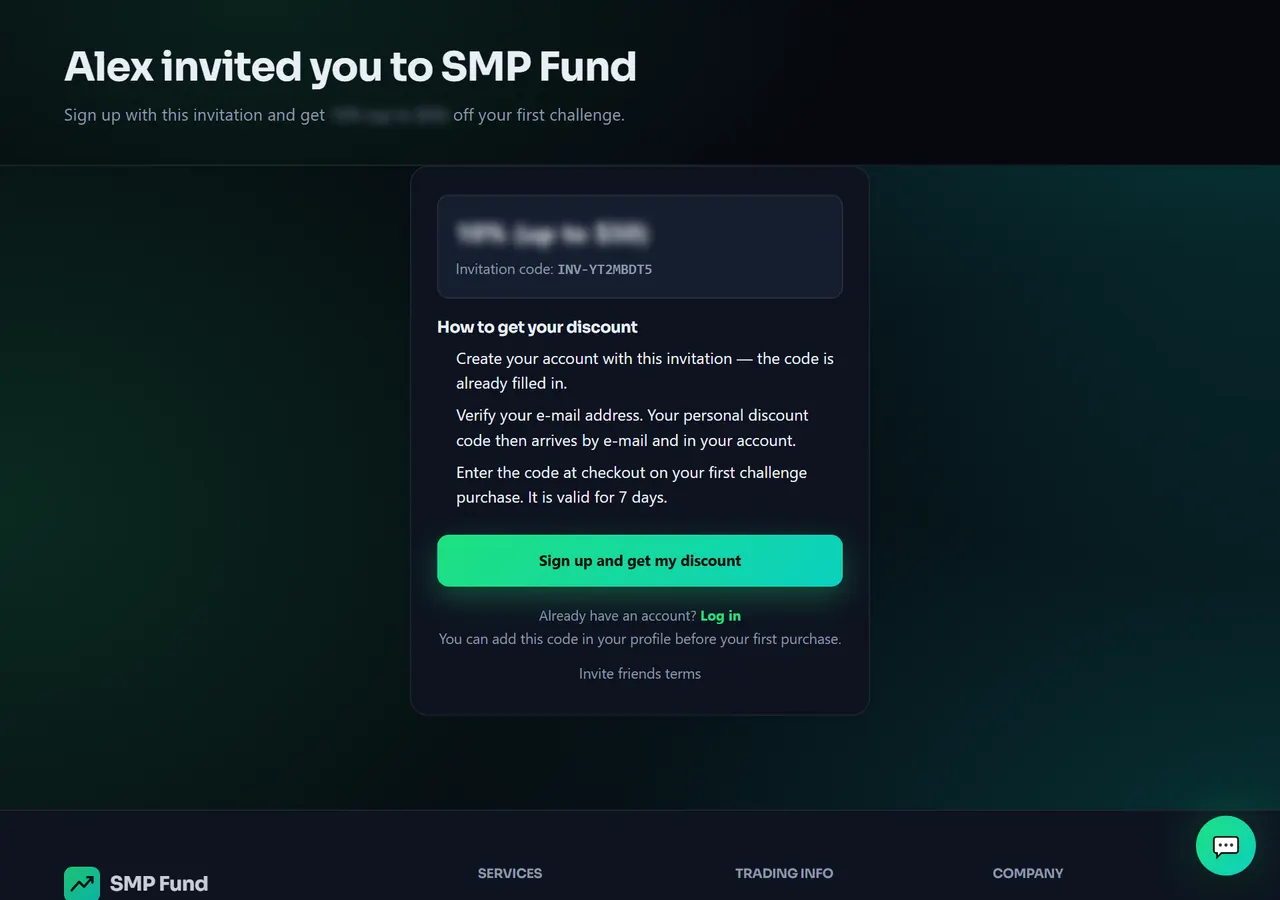
This is the page your link opens: your name, the discount waiting for your friend and how to get it. Your friend presses Sign up and get my discount, creates an account and verifies the e-mail; the invite code is already filled in, and their personal code then arrives by e-mail and in their account. If they already have an account they can log in instead and add the code in Profile before their first purchase. Program terms: Legal.
Annotated screen - Step 4
Codes: who gets what, and when
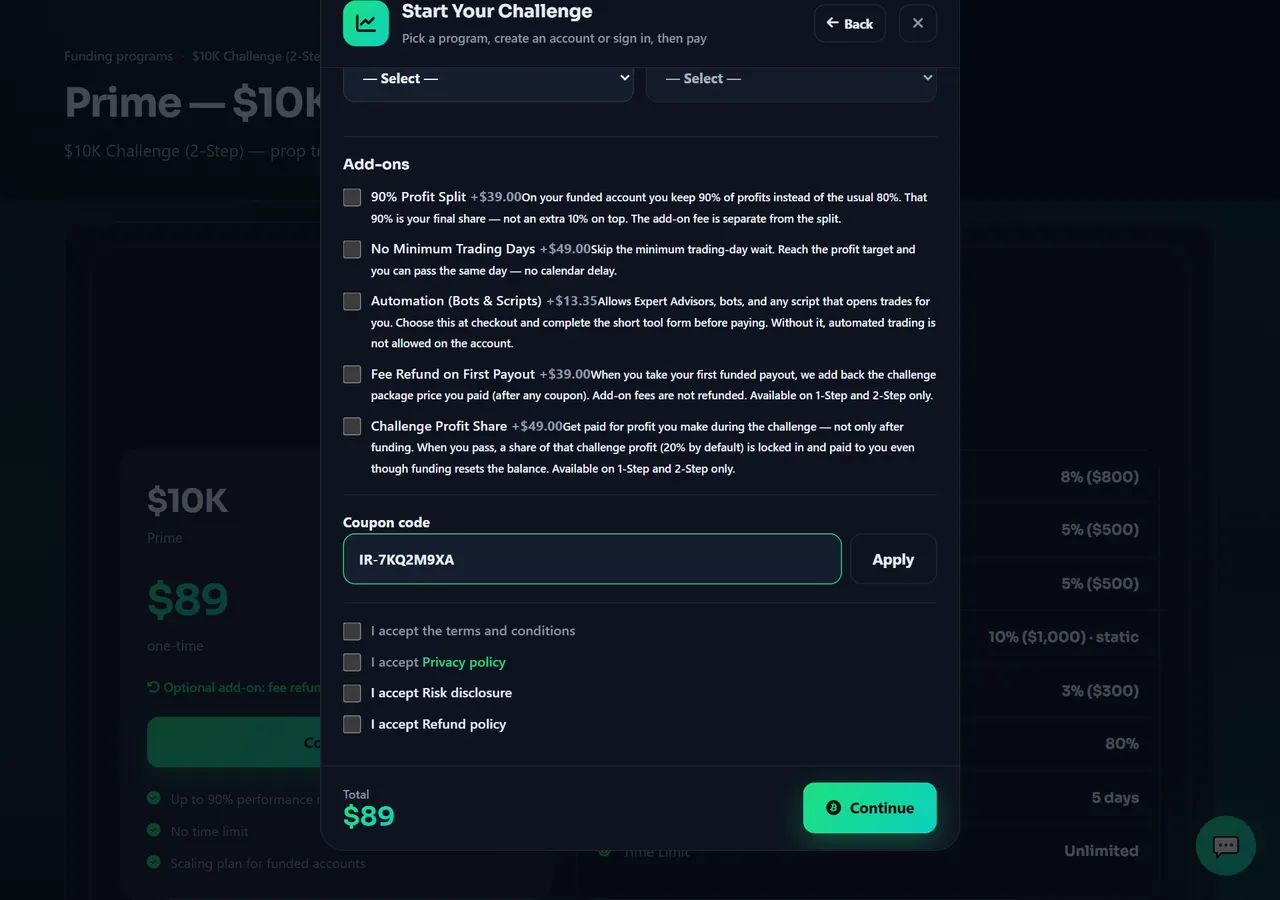
Your friend's code arrives by e-mail and notification once they verify their e-mail; it works on their first challenge purchase. Your code arrives after the friend's first paid challenge purchase is confirmed (a free demo is not a purchase), after the delay shown on the page. Each code works once, only on the account it was issued to, typed in the discount code field at Checkout. Unused codes get a reminder before they expire. A purchase made on your own device earns no code, and there is a monthly limit — see the page.
- 1Coupon code
Annotated screen
Help center
Invite friends: share your link, earn discount codes
Any customer can invite friends — no request needed. Your friend gets a discount code for their first challenge; you get a discount code after each friend's first paid challenge purchase. Rewards are codes, never cash; the partner program is the cash program.


